How to Register for KhmernokorPOS
Posted by Kosal
Follow these simple steps to create your account and get started. Registration is quick, secure, and includes email verification to protect your identity.
1. Download the App
Start by downloading the app for your platform:
2. Open the App and Go to the Registration Page
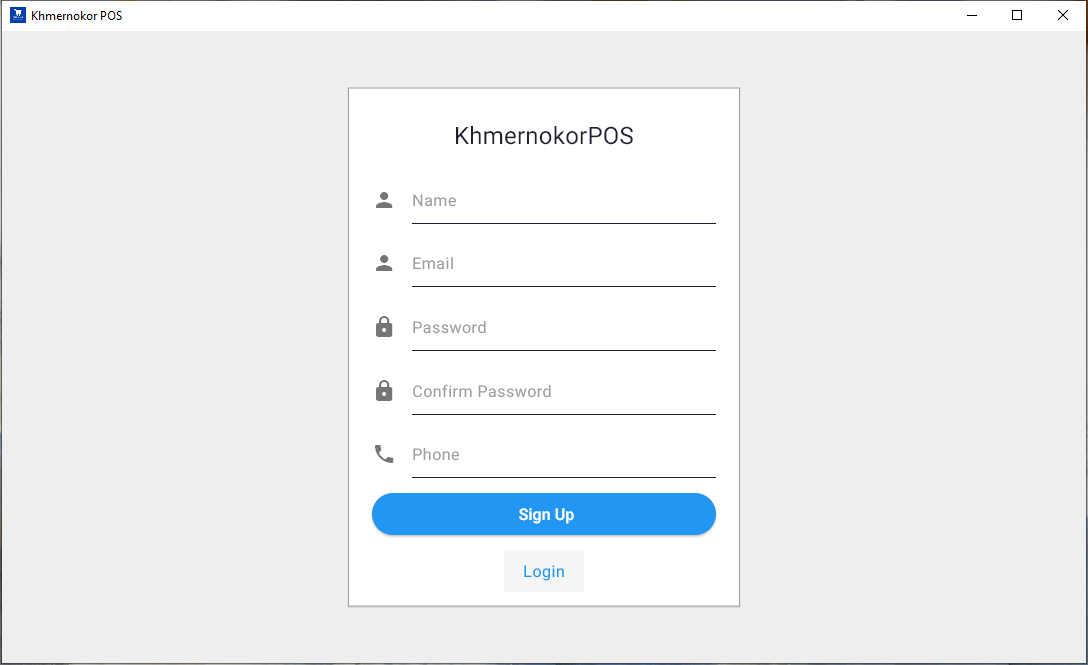
Launch the app and click on Sign Up. You’ll see a registration form that looks like this:
3. Fill in Your Information
Please complete the form with the following details:
- Name – Your full name (min. 2 characters)
- Email – A valid and unique email address
- Password – A secure password
- Confirm Password – Enter your password again
- Phone – A unique phone number
4. Click “Sign Up”
Once you’ve filled in the form, press the Sign Up button to submit your registration.
5. Verify Your Email
After registering, check your email inbox. You'll receive a verification email with a link to confirm your email address.
📩 Why Email Verification Is Required
Email verification helps us:
- ✅ Ensure your email address is real
- ✅ Protect your account from unauthorized access
- ✅ Provide better communication and support
Tip: If you don’t see the email, check your Spam or Promotions folder. You can also request a new link from the login page.